How to Delete a Snapchat Account in 2026 – Complete Step-by-Step Guide for Beginners
If you no longer want to use Snapchat, you can request deletion of your account through Snapchat’s account management tools. Deleting the Snapchat app from your phone is not the same as deleting your account.
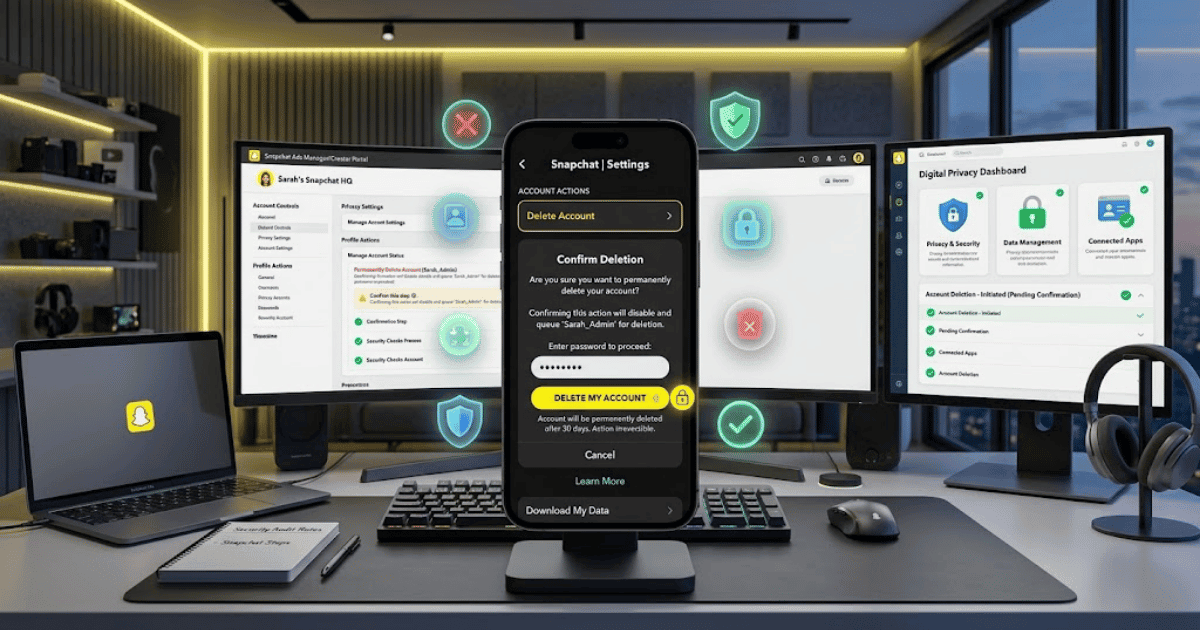
According to Snapchat’s current support guidance, your account is first deactivated for 30 days. During this period, you can reactivate it by logging back in. After that period, Snapchat begins the permanent deletion process.
In this guide, you’ll learn how to delete Snapchat account on Android, iPhone, and the web.
What Happens When You Delete Your Snapchat Account?
When you request account deletion, Snapchat first places your account into a deactivated state.
During the first 30 days, you can reactivate the account by logging in again. If you do not reactivate it, Snapchat proceeds with permanent deletion according to its deletion process.
Your account information can include:
- Friends
- Snaps
- Chats
- Memories
- Account settings
- Device information
- Location-related data
Snapchat notes that some information may still be retained for legal, security, or business purposes.
Before Deleting Your Snapchat Account
Before permanently deleting your account, consider whether you want to save important information.
You may want to:
- Save important Memories
- Download available account data
- Save important contacts
- Cancel or review any active subscriptions
- Make sure you know your username and password
Snapchat provides account data tools through its account portal.
How to Delete Snapchat Account on Android
Follow these steps:
Step 1: Open Snapchat
Open the Snapchat app on your Android phone and log in.
Step 2: Open Your Profile
Tap your profile icon to open your Snapchat profile.
Step 3: Open Settings
Tap the Settings icon in the top-right corner.
Step 4: Find Account Actions
Scroll down until you find the Account Actions section.
Step 5: Tap Delete Account
Select Delete Account.
Snapchat will direct you to its account portal.
Step 6: Enter Your Password
Enter your Snapchat password to verify your identity.
Step 7: Confirm Deletion
Tap Continue to confirm the account deletion request.
Your account will enter the deactivation period.
How to Delete Snapchat Account on iPhone
The process on iPhone is similar.
Step 1: Open Snapchat
Launch the Snapchat app.
Step 2: Go to Your Profile
Tap your profile icon.
Step 3: Open Settings
Tap the gear icon.
Step 4: Scroll to Account Actions
Find the Account Actions section.
Step 5: Select Delete Account
Tap Delete Account.
Step 6: Verify Your Account
Follow the instructions in the Snapchat account portal and enter your password.
Step 7: Confirm
Tap Continue to complete the deletion request.
How to Delete Snapchat Account on the Web
You can also delete your Snapchat account using a web browser.
Go to Snapchat’s official account portal:
Then:
Step 1: Log In
Enter your Snapchat account details.
Step 2: Select Delete My Account
Find and select Delete My Account.
Step 3: Enter Your Password
Enter your password for security verification.
Step 4: Click Continue
Confirm the deletion request.
Your account will then enter Snapchat’s deactivation period.
Can You Recover a Deleted Snapchat Account?
Yes, but only during the initial deactivation period.
Snapchat states that you can reactivate your account within 30 days by logging back into the Snapchat app using the account username. Once the account has moved beyond the recoverable period and the permanent deletion process is completed, it cannot be reactivated.
How to Reactivate Your Snapchat Account
If you change your mind:
- Open Snapchat.
- Log in with the username of the deactivated account.
- Follow any available instructions to reactivate it.
Snapchat indicates that reactivation can take some time to complete.
What If You Forgot Your Snapchat Password?
If you cannot access your account because you forgot your password, use Snapchat’s official password recovery process before attempting to delete the account.
You may be able to reset your password through the available Snapchat account recovery options.
Common Problems When Deleting a Snapchat Account
I Can’t Find the Delete Account Option
Check the Account Actions section in Snapchat Settings or use Snapchat’s official account portal.
I Forgot My Password
Use Snapchat’s official password reset process and regain access before submitting the deletion request.
My Account Is Still Visible
Your account may still be within Snapchat’s deactivation and deletion process. Allow time for the process to complete.
I Logged Back In by Mistake
Logging back into your account during the deactivation period may reactivate it. If you still want to delete your account, you may need to repeat the deletion process.
Important Things to Remember
Before deleting your Snapchat account:
- Deleting the app does not delete your account.
- Save any important Memories or information first.
- Make sure you remember your username and password.
- You can reactivate the account during the initial 30-day deactivation period.
- Some information may be retained where required for legal, security, or business purposes.
Final Thoughts
Learning how to delete Snapchat account in 2026 is straightforward. You can start the process from Snapchat Settings or through the official Snapchat account portal.
Before confirming deletion, make sure you have saved any important Memories or account data. Remember that Snapchat initially deactivates the account for 30 days, giving you time to change your mind and reactivate it before the permanent deletion process continues.
Frequently Asked Questions (FAQs)
1. How do I permanently delete my Snapchat account?
Start the deletion process through Snapchat Settings or the official Snapchat account portal, verify your password, and confirm the deletion request.
2. How long does Snapchat take to delete an account?
Snapchat first deactivates the account for 30 days. If you do not reactivate it during that period, the permanent deletion process continues.
3. Can I recover my Snapchat account after deleting it?
You can reactivate it during the 30-day deactivation period. After permanent deletion is completed, Snapchat says the account cannot be reactivated.
4. Can I delete my Snapchat account from Android?
Yes. You can start from Snapchat Settings and the Account Actions section, then complete the process through the Snapchat account portal.
5. Does deleting the Snapchat app delete my account?
No. Removing the Snapchat app from your device does not itself delete your Snapchat account.