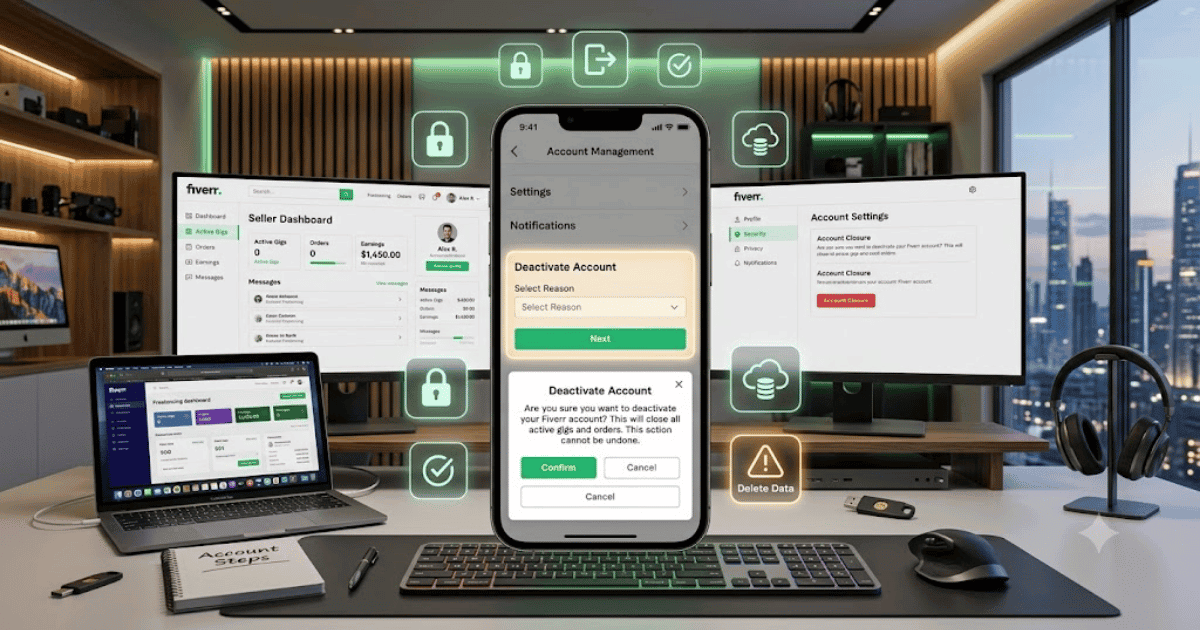
How to Delete a Fiverr Account in 2026 – Complete Step-by-Step Guide for Beginners
Fiverr is a popular freelancing platform where buyers and freelancers connect to offer and purchase digital services. However, you may eventually decide that you no longer want to use Fiverr and want to close your account.
Whether you’re switching to another freelancing platform, taking a break from freelancing, or simply want to remove your Fiverr profile, deleting your account is an important decision.
In this guide, you’ll learn how to delete a Fiverr account in 2026, what to check before closing your account, and what can happen after you submit the request.
What Happens When You Delete Your Fiverr Account?
Before deleting your Fiverr account, it’s important to understand that closing an account can affect your:
- Fiverr profile
- Gigs
- Orders
- Messages
- Seller history
- Account access
- Earnings and account information
If you have active orders, pending payments, or other account-related issues, you should resolve them before closing your account.
Things to Check Before Deleting Your Fiverr Account
Before you start the deletion process, check:
- Active orders
- Pending orders
- Available balance
- Pending withdrawals
- Active Gigs
- Important messages
- Important account information
If you have money in your Fiverr balance, make sure you understand Fiverr’s current withdrawal and account-closure policies before proceeding.
How to Delete a Fiverr Account
Step 1: Log In to Fiverr
Open Fiverr using your preferred web browser.
Sign in to the Fiverr account you want to close.
Step 2: Open Your Profile
Click your profile picture in the top-right corner.
A menu with different account options will appear.
Step 3: Open Settings
Select:
Settings
This will take you to your Fiverr account settings.
Step 4: Open Account Settings
Look for the section related to your account or account preferences.
Depending on Fiverr’s current interface, the exact location and wording of the account closure option may vary.
Step 5: Find the Account Closure Option
Look for an option related to:
Deactivate Account
or
Close Account
Fiverr may provide different account status options depending on your account.
Step 6: Select a Reason
Fiverr may ask you why you want to close or deactivate your account.
Select the reason that best matches your situation.
Possible reasons may include:
- No longer using Fiverr
- Moving to another platform
- Not satisfied with the service
- Taking a break
- Other reasons
Step 7: Confirm the Request
Review the information Fiverr provides about closing your account.
If you’re certain that you want to proceed, confirm the account closure request.
Step 8: Check Your Email
Fiverr may send an email related to your account closure or security confirmation.
Check your registered email address and follow any instructions Fiverr provides.
Can You Delete a Fiverr Account From the Mobile App?
Fiverr’s account-management options can vary between the mobile app and website.
If you cannot find the account closure option in the Fiverr app, sign in through a desktop or mobile web browser and check your account settings.
What Should Sellers Do Before Closing Their Account?
If you’re a Fiverr seller, take extra time to review your account before closing it.
Complete Active Orders
Try to complete or properly resolve active orders before closing your account.
Withdraw Available Funds
If you have withdrawable funds, review Fiverr’s current withdrawal policies and make sure you understand what happens to your balance before closing your account.
Save Important Information
If you need copies of:
- Gig information
- Order details
- Messages
- Portfolio information
- Client information
save anything you are legally and appropriately allowed to retain before closing the account.
Common Problems
I Can’t Find the Delete Account Option
Fiverr may change its settings interface over time.
Try:
- Opening Fiverr in a desktop browser.
- Checking the latest Account Settings.
- Updating the Fiverr app.
- Searching the Fiverr Help Center for the current account closure process.
I Have Active Orders
If you have active orders, resolve them before attempting to close your account.
I Have Money in My Fiverr Balance
Review your balance and Fiverr’s current withdrawal policies before closing the account.
I Changed My Mind
If you have only deactivated or requested closure and the account has not been permanently removed, contact Fiverr Support as soon as possible to understand whether the account can still be restored.
Should You Delete or Keep Your Fiverr Account?
Deleting your account isn’t always necessary.
If you’re simply taking a break from freelancing, consider keeping your account instead.
Keeping your account may allow you to:
- Maintain your freelancing history
- Keep your profile
- Return to Fiverr later
- Preserve your existing account information
If you are certain that you no longer want to use Fiverr, account closure may be the better option.
Fiverr Account Security Tips
Before closing your account, make sure you’re using the correct Fiverr account.
If you suspect unauthorized access:
- Change your password.
- Enable available security features.
- Review account activity.
- Contact Fiverr Support.
- Don’t share your login information.
Final Thoughts
Learning how to delete a Fiverr account in 2026 is relatively straightforward, but you should review your active orders, balance, Gigs, and important account information before closing your account.
If you’re only taking a temporary break from freelancing, keeping your account may be a better option. However, if you’ve decided to leave Fiverr permanently, carefully follow the current account-closure instructions provided by Fiverr.
Frequently Asked Questions (FAQs)
1. Can I permanently delete my Fiverr account?
Fiverr provides account deactivation or closure options, but the exact process and consequences can depend on your account status and Fiverr’s current policies.
2. Can I delete my Fiverr seller account?
Yes. Sellers can close their Fiverr account, but they should first review active orders, pending payments, and account balances.
3. Can I delete my Fiverr account from my phone?
You may be able to manage account settings through the Fiverr mobile app or mobile browser. If the option isn’t available in the app, use Fiverr’s website.
4. What happens to my Fiverr Gigs after closing my account?
Your seller profile and associated Fiverr services may no longer be available after the account is closed.
5. Can I create another Fiverr account after deleting one?
Fiverr has rules regarding multiple accounts. Before creating another account, check Fiverr’s current Terms of Service and account policies.