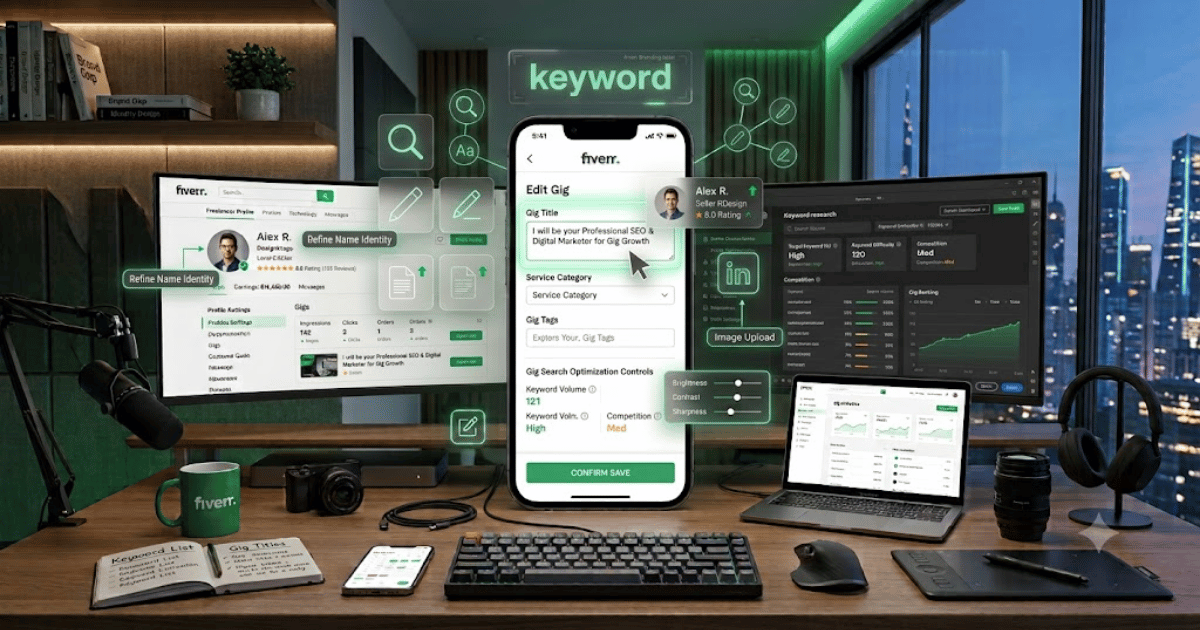
How to Change Your Fiverr Gig Title in 2026 – Complete Step-by-Step Guide for Beginners
Your Fiverr Gig title is one of the most important parts of your freelancer listing. It tells potential buyers what service you offer and can also help Fiverr understand which searches are relevant to your Gig.
If your current title is unclear, outdated, or not attracting the right audience, updating it may help you present your service more effectively.
In this guide, you’ll learn how to change your Fiverr Gig title in 2026, along with tips for creating a clear and professional Gig title.
What Is a Fiverr Gig Title?
A Fiverr Gig title is the headline that describes the service you’re offering.
For example:
I will design a modern WordPress website
The title should clearly explain what the buyer can expect from your service.
Why Should You Change Your Fiverr Gig Title?
You may want to update your Gig title if:
- Your service has changed.
- Your current title is unclear.
- You’re targeting a different audience.
- Your title contains unnecessary words.
- You want to improve your Gig’s relevance.
- You’re rebranding your freelance service.
How to Change Your Fiverr Gig Title
Step 1: Log In to Fiverr
Open Fiverr in your preferred browser.
Sign in to your freelancer account.
Step 2: Open Your Selling Dashboard
Go to the section of Fiverr where you manage your seller activities and Gigs.
Step 3: Open Your Gigs
Find the Gigs section.
You’ll see the services you currently offer.
Step 4: Select the Gig
Find the Gig whose title you want to change.
Open the available options for editing that Gig.
Step 5: Click Edit
Select:
Edit Gig
Fiverr will open the Gig creation or editing interface.
Step 6: Edit the Gig Title
Find the Gig Title field.
Replace the existing title with your new title.
Make sure your new title accurately describes the service you provide.
Step 7: Review Your Title
Before saving, check:
- Spelling
- Grammar
- Keywords
- Service description
- Buyer intent
- Fiverr’s current Gig rules
Step 8: Save or Publish the Changes
Continue through the Gig editing process and submit the changes.
Fiverr may review the updated Gig before the changes become fully visible.
How to Write a Better Fiverr Gig Title
A good Gig title should be:
- Clear
- Specific
- Easy to understand
- Relevant to your service
- Written for your target buyer
Example
Instead of:
I will do website
Use something more specific such as:
I will design a professional WordPress business website
The second title immediately tells the buyer what service you’re offering.
Use Relevant Keywords
Keywords can help describe your service more accurately.
For example, a WordPress developer might use terms such as:
- WordPress website
- Business website
- Elementor
- Website design
- WordPress development
However, don’t unnecessarily stuff keywords into your title.
Don’t Mislead Buyers
Your Gig title should accurately represent your service.
Avoid promising something that your Gig doesn’t actually provide.
Misleading titles can create:
- Buyer dissatisfaction
- Cancellations
- Poor reviews
- Fiverr policy issues
Can Changing Your Gig Title Affect Your Ranking?
Changing important Gig information can affect how your listing performs.
There is no guarantee that changing a title will increase rankings.
Instead, focus on creating a title that accurately matches:
- Your service
- Your keywords
- Your target buyers
- Your Gig description
What If Fiverr Doesn’t Allow the Change?
Fiverr may restrict certain changes depending on the Gig, category, account status, or current platform rules.
If the title field cannot be edited, check Fiverr’s current Help Center guidance or contact Fiverr Support.
Common Problems
Gig Title Is Not Editable
Make sure you’re editing the correct Gig and have the required seller permissions.
Changes Aren’t Showing
After submitting your changes, refresh your dashboard and public Gig page.
Some changes may take time to appear.
New Title Gets Rejected
Make sure your title follows Fiverr’s current policies and accurately describes your service.
Gig Performance Drops After Changing the Title
A title change can alter how your Gig is presented and discovered. Monitor your impressions, clicks, orders, and other available analytics after making major changes.
Fiverr Gig Title Best Practices
Follow these tips:
- Keep your title easy to understand.
- Clearly describe the service.
- Use relevant search terms naturally.
- Avoid unnecessary capitalization.
- Don’t make unrealistic promises.
- Don’t use misleading keywords.
- Write for real buyers rather than search engines alone.
Final Thoughts
Learning how to change your Fiverr Gig title in 2026 is useful when your current title doesn’t accurately represent your service or target audience.
A strong Gig title should clearly explain what you offer while naturally using relevant keywords. However, changing your title doesn’t guarantee better rankings or more orders, so always monitor your Gig performance after making significant changes.
Frequently Asked Questions (FAQs)
1. Can I change my Fiverr Gig title?
In many cases, Fiverr allows sellers to edit their Gig information, including the title, although available editing options can vary.
2. Does changing my Gig title affect SEO?
It can affect how your Gig is presented and matched to searches, but there is no guarantee that a new title will improve rankings.
3. How long should a Fiverr Gig title be?
Follow Fiverr’s current character limits and keep the title concise enough for buyers to understand your service immediately.
4. Should I add lots of keywords to my Fiverr Gig title?
No. Use relevant keywords naturally instead of keyword stuffing.
5. Can I change my Fiverr Gig title multiple times?
Available editing options and restrictions can vary. Avoid making unnecessary frequent changes and monitor your Gig performance after updates.