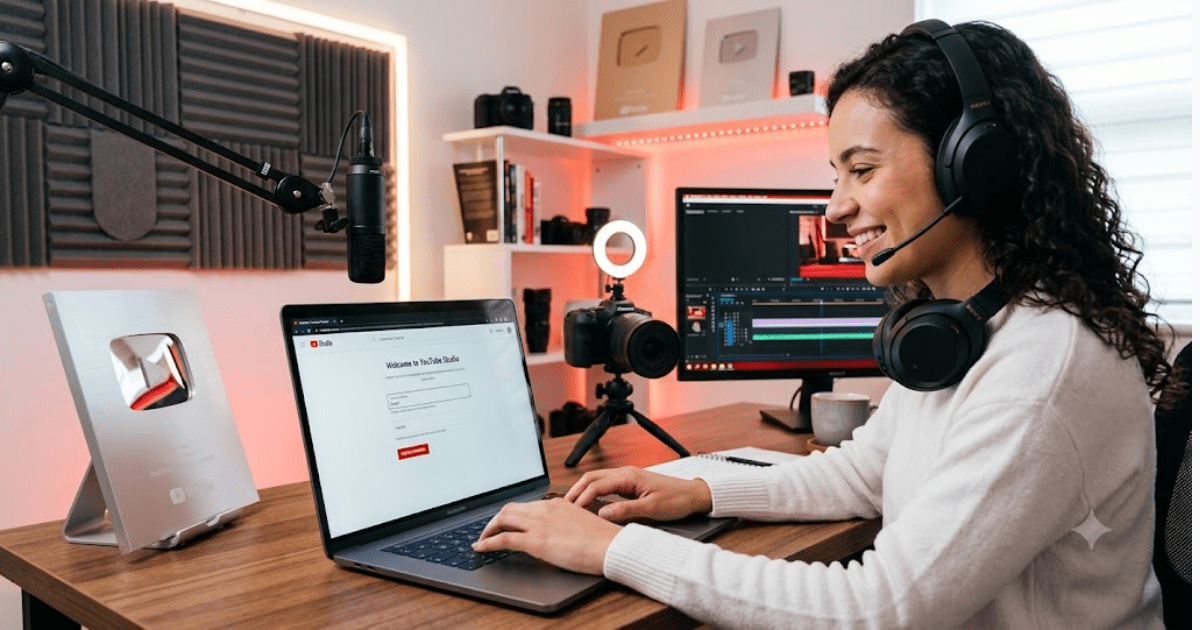
How to Create a YouTube Channel in-2026 – Step-by-Step Beginner Guide’s
YouTube is the largest video-sharing platforms in the world with billions of monthly views. No matter whether you wishs to becomes a content creator, grow your personal brand, promotes business, or share your knowledge with other peoples, creating a YouTube channels is a way to do it.
The best things is that setting up a YouTube channels costs absolutely nothing and takes a couple of minutes. In this guides, you will find out how to create a YouTube channel in 2026 by using mobiles devices and PC.
What Is YouTube Channel?
A YouTube channel is a personal accounts on YouTube where you can posts videos, add playlists, communicates with the audiences, & develop your viewerships.
The reasons why peoples creates YouTube channels are many; they includes:
- Content for educations
- Entertaining videos
- Personal brand development
- Product/service promotion
- Earning money with YouTube
- Community building
Requirements Before Creating a YouTube Channel
Before you get starts, makes sure you have the following:
- Google account
- Gmail email address
- Internet connection
- Mobile phone or computer
If you do not have a Googles account yet, you may refers to our guide’s about how to create a Gmail accounts.
How to Create a YouTube Channel on Mobiles
Almost all creators launch their’s YouTube career using a mobiles device.
Step-1: Download the YouTube Applications
Go to the Google Play Stores or Apple App Stores.
Download YouTube apps if it is not installed yet.
Step-2: Sign In to Your’s Google Accounts
Launch the applications & sign in using your Gmail accounts.
YouTube uses Google accounts to verify the user’s identity.
Step-3: Tap Your Profiles Picture
Click your profiles picture in the top right corner of the screens.
Clicks Create a Channel.
Step 4: Input Your Channel Name
Choose a name of your YouTube channel that should include:
- Your brand name
- Your niche
- Type of your content
Some examples are:
- Tech Tips Hub
- Cooking with Sarah
- Digital Learning Zone
Step 5: Upload Your Profile Picture
Upload an image of your profile that will help viewers identify your channel.
Step 6: Create Your Channel
Press Create Channel to set up your account.
Your YouTube channel is ready!
How to Create a YouTube Channel on PC
Step 1: Go to YouTube
Launch your internet browser and visit YouTube website.
Step 2: Sign In
Click Sign In and sign in to your Google account.
Step-3: Access Your’s Profiles
Click your profiles icons in the top-right corner of screen.
Select Create a Channel.
Step 4: Input Information About Your Channel
Fill in the following data:
- Channel name
- Profile picture
- Basic information about the channel
Step 5: Confirm the Creation of Your Channel
Click Create Channel.
Your channel will be created instantly.
How to Customize Your YouTube Channel
This step completes the creation of your channel but not everything yet.
A professional design of your channel will help you attract more subscribers and viewers.
Add a Channel Banner
There is a banner visible on the top of your channel page.
This banner should reflect your brand and type of your content.
Write a Channel Description
Describe your channel by telling:
- What it is about
- What kind of content viewers can watch there
- The schedule of uploading videos
Example:
“This channel presents tutorials on technologies, AI applications, blogging, and how to earn online for beginners.”
Add Social Media Links
Add the links to your:
- Website
- X (formerly Twitter)
It will help viewers contact you in different ways.
How to Upload Your First Video
Now that your channel is ready, upload your first video.
Step 1: Click Create
Press the Create button.
Step 2: Upload Your Video
Choose your video from your PC or mobile phone.
Step 3: Input Information about the Video
Input:
- Title
- Description
- Tags
- Thumbnail
Step 4: Publish
Click Publish to allows your audiences to view the videos.
Tips for Choosing a Good YouTube Channels Names
A good name of the channel should be:
- Easily remembered by others
- Easily spelled
- Related to your content
- Professional and unique
Try to avoid using complicated words or too many numbers.
Advantages of Having a YouTube Channel
Creation of the channel gives you multiple opportunities.
Share Your Knowledge
Teach people skills and provide them with information.
Build a Personal Brands
Become an experts in your fields or niche.
Grows Your Business
A lot of businesses use YouTube to attract their potential customers.
Reach Millions of Viewers
YouTube allows you to reach people all over the world.
Earn Money
Earning money on YouTube is possible for eligible creators through:
- YouTube Partner Programs
- Sponsorships
- Affiliate marketings
- Promotion of products
Common Mistakes That New Creators Should Avoid
Inconsistent Uploading
Regular uploads are important for growing your viewership.
Poor Quality of Videos
Make sure your videos are shot with clear audio and decent lighting conditions.
Ignoring-SEO
Do not forgets to optimize titles, description & thumbnails.
Not Communicating with Viewers
It is very important to respond to the comments left by your audience.
Tips for Growings Your YouTube Channels
Upload Regularly
Create a content plan and follow it regularly.
Choose One Niches
Choose a niche that interests you & your audiences.
Create Catchy Thumbnail
Catchy thumbnails will make people click your videos.
Use Relevant Keywords
Use relevant keywords in:
- Titles
- Descriptions
- Tags
Promote Your Videos
Promote videos via social media and your website.
Conclusion
Creation of a YouTube channel in 2026 is easy and completely free. All you needs to do is having a Google accounts & spending a few minutes on setting up your accounts.
There are unlimits opportunities that you can takes advantage of while using YouTube, whether you wants to educate peoples, entertain them, promote your business, or earns some money onlines. This guide will help you learn how to create a YouTube channels in 2026.