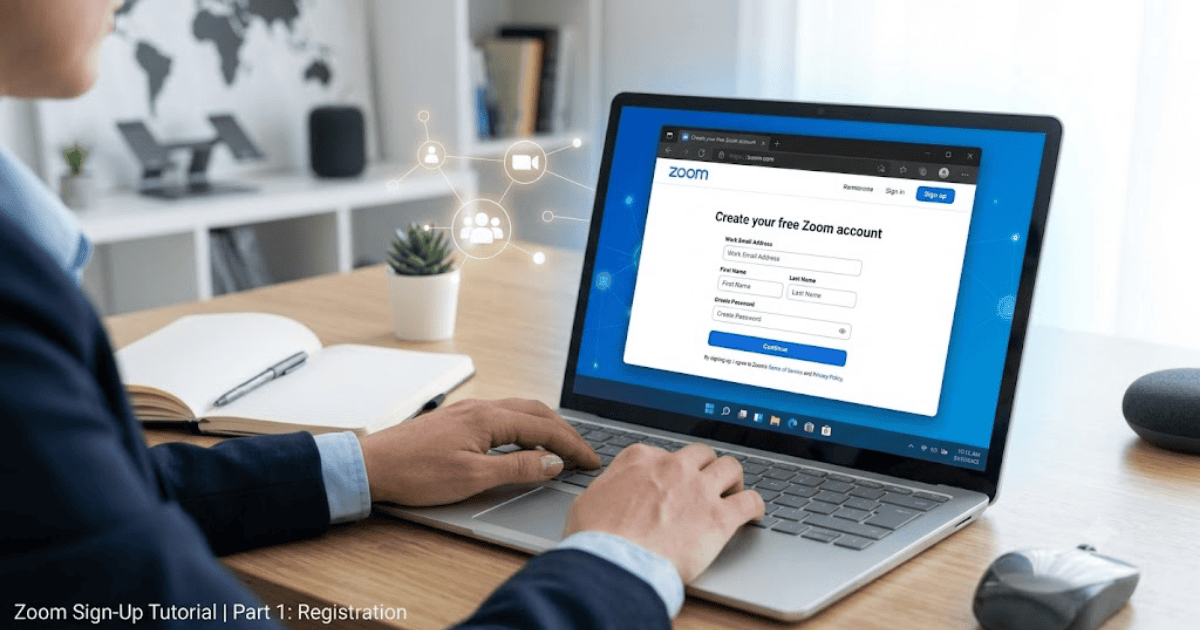
How to Create a Zoom Account in 2026 – Step-by-Step Guide
Zoom has become one of the most popular video conferencing platforms for online meetings, virtual classes, webinars, interviews, and business collaboration. Whether you’re a student, teacher, employee, freelancer, or business owner, creating a Zoom account allows you to connect with people from anywhere in the world.
This guide explains how to create a Zoom account in 2026 using your computer or mobile device. You’ll also learn how to verify your account, complete your profile, schedule meetings, and keep your account secure.
What Is Zoom?
Zoom is a cloud-based video communication platform that supports:
- Video meetings
- Voice calls
- Screen sharing
- Team chat
- Webinars
- Online collaboration
Millions of individuals and organizations use Zoom every day for work, education, and personal communication.
Requirements Before Creating a Zoom Account
Before registering, make sure you have:
- A valid email address
- A smartphone or computer
- A stable internet connection
- A secure password
How to Create a Zoom Account
Step 1: Visit Zoom’s Official Website
Open your preferred web browser and go to Zoom’s official website.
Step 2: Click Sign Up
Select Sign Up, It’s Free.
Step 3: Enter Your Date of Birth
Zoom asks for your birth date to verify age eligibility.
Step 4: Enter Your Email Address
Provide an active email address.
Step 5: Verify Your Email
Open your inbox and click the activation link sent by Zoom.
Step 6: Create Your Profile
Enter:
- First name
- Last name
- Password
Then complete your account setup.
How to Set Up Your Zoom Profile
Once your account is created:
Upload a Profile Photo
A profile picture helps others recognize you during meetings.
Update Your Personal Information
Add your display name and other basic details.
Configure Meeting Settings
Review your meeting preferences, such as waiting rooms, meeting passwords, and audio/video options.
How to Schedule Your First Meeting
After creating your account:
- Click Schedule.
- Enter the meeting title.
- Choose the date and time.
- Set a meeting password if needed.
- Save the meeting and share the invitation link with participants.
Common Registration Problems
Verification Email Not Received
Check:
- Spam folder
- Promotions tab
- Correct email address
Weak Password
Create a stronger password using letters, numbers, and symbols.
Activation Link Expired
Request a new activation email from the sign-up page.
Tips to Keep Your Zoom Account Secure
- Use a strong password.
- Enable two-factor authentication.
- Use meeting passwords.
- Enable the waiting room feature.
- Keep the Zoom app updated.
Benefits of Using Zoom
Creating a Zoom account allows you to:
- Host online meetings
- Join video conferences
- Attend online classes
- Conduct interviews
- Organize webinars
- Collaborate with teams remotely
Final Thoughts
Learning how to create a Zoom account in 2026 is quick and easy. Once your account is verified, you can host meetings, collaborate with colleagues, attend online classes, and connect with people around the world.
Whether you’re using Zoom for business, education, or personal communication, it’s one of the most trusted and widely used video conferencing platforms available today.