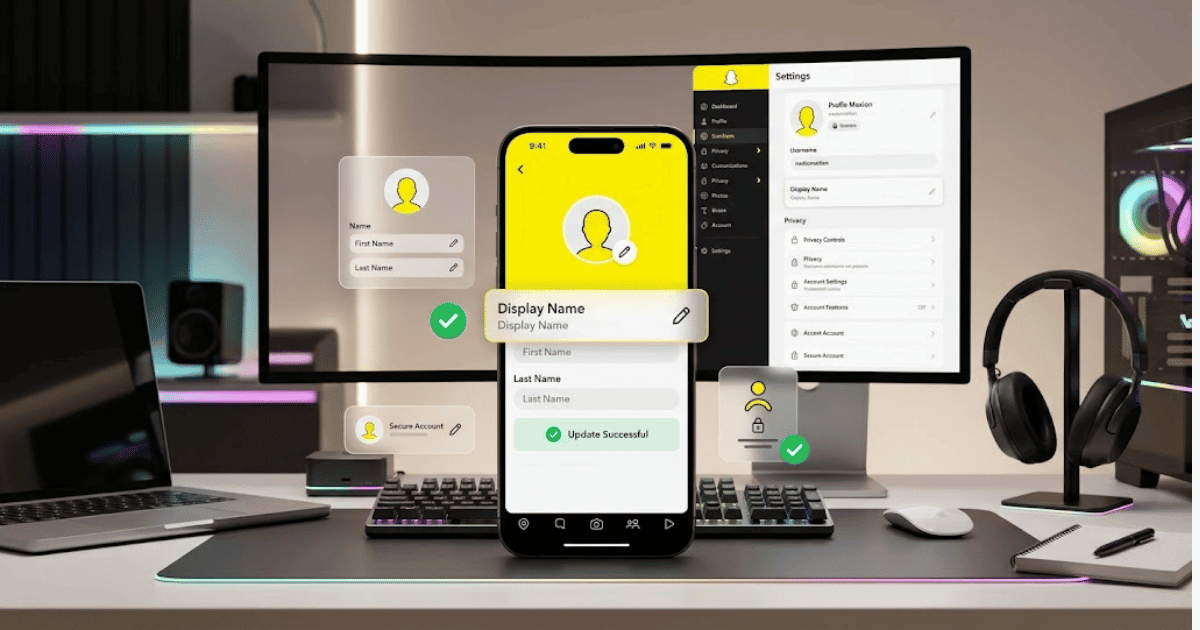
How to Change Your Snapchat Display Name in 2026 – Complete Step-by-Step Guide for Beginners
Your Snapchat Display Name is the name that helps identify you on Snapchat. It is different from your Snapchat username.
If you want to update your name, correct a spelling mistake, use a new personal name, or change your branding, Snapchat allows you to edit your Display Name through the profile settings.
In this guide, you’ll learn how to change your Snapchat Display Name in 2026 step by step on Android and iPhone.
Snapchat Display Name vs. Username
Before changing anything, it is important to understand the difference between these two options.
Snapchat Username
Your username is the unique identifier connected to your Snapchat account.
It can be used to identify and find your account.
Snapchat Display Name
Your Display Name is the name shown to other people in many areas of Snapchat.
You can generally edit your Display Name without deleting your account.
Changing your Display Name does not automatically change your Snapchat username.
Why Change Your Snapchat Display Name?
You may want to change your name because:
- Your current name has a spelling mistake.
- You want to use a different name.
- You have changed your personal or brand name.
- You want your Snapchat profile to match your other social media accounts.
- You want a more professional profile name.
How to Change Your Snapchat Display Name
Follow these simple steps.
Step 1: Open Snapchat
Open the Snapchat app on your Android phone or iPhone.
Make sure you are logged in to the correct account.
Step 2: Open Your Profile
Tap your profile or Bitmoji icon in the top-left corner of the screen.
This will open your Snapchat profile.
Step 3: Open Settings
Tap the Settings icon in the top-right corner.
Step 4: Find the Name Option
Look for your Name or profile name in the account settings.
The exact wording or location may change if Snapchat updates its interface.
Step 5: Tap Your Name
Select the available option to edit your name.
You may see fields for:
- First Name
- Last Name
Step 6: Enter Your New Display Name
Type the name you want to use on Snapchat.
You can use:
- Your personal name
- A nickname
- A professional name
- A brand name
Choose a name that you are comfortable showing to your Snapchat contacts.
Step 7: Save Your Changes
After entering your new name, tap the available Save or confirmation option.
Your updated Display Name should then be connected to your Snapchat profile.
How to Change Snapchat Display Name on Android
The process on Android is generally straightforward:
- Open Snapchat.
- Tap your profile or Bitmoji icon.
- Tap Settings.
- Select Name.
- Edit your First Name or Last Name.
- Save the changes.
The exact interface may vary depending on your Snapchat app version.
How to Change Snapchat Display Name on iPhone
You can follow similar steps on an iPhone:
- Open Snapchat.
- Go to your profile.
- Tap the Settings icon.
- Select the Name option.
- Enter your new Display Name.
- Save your changes.
What Happens After Changing Your Display Name?
Changing your Display Name updates the name connected to your Snapchat profile.
However, this does not necessarily change your:
- Snapchat username
- Account login details
- Password
- Account data
- Friends list
Your Snapchat account remains the same.
Can You Change Your Snapchat Display Name Multiple Times?
Snapchat generally allows users to update their profile name, but available options and limitations can change.
Avoid changing your name unnecessarily, especially if friends, followers, or clients use your current name to identify you.
Tips for Choosing a Good Snapchat Display Name
Keep It Recognizable
Use a name that your friends or audience can easily recognize.
Use Consistent Branding
If you are a content creator or business owner, consider using a name similar to your other social media profiles.
For example, using the same brand name across Snapchat, Instagram, TikTok, and YouTube can make your accounts easier to recognize.
Keep It Professional
If you use Snapchat for business or professional purposes, avoid confusing or overly complicated names.
Avoid Frequent Changes
Changing your name too often may confuse your audience.
Choose a name that you are comfortable using for a longer period.
Common Problems When Changing a Snapchat Display Name
I Can’t Find the Name Option
Make sure your Snapchat app is updated.
Also check your profile settings carefully, as Snapchat may change the location of settings after an app update.
My New Name Is Not Showing
Try:
- Saving the changes again.
- Closing and reopening Snapchat.
- Updating the Snapchat app.
- Checking your profile after a few minutes.
I Changed My Name but My Username Is Still the Same
This is normal.
Your Display Name and username are separate account details.
Changing your Display Name does not automatically change your username.
Can Other People Still Find Me?
Your existing account remains active after changing your Display Name. Your ability to be found can depend on your username, profile settings, and Snapchat’s current privacy features.
Snapchat Display Name Tips for Content Creators
If you create content on Snapchat, your Display Name can become part of your personal or business branding.
Try to choose a name that is:
- Easy to remember
- Easy to spell
- Similar to your other social media names
- Relevant to your content or brand
For example, if your content brand is Digital Creator Hub, using a similar Display Name across platforms can create more consistent branding.
Final Thoughts
Learning how to change your Snapchat Display Name in 2026 is simple.
Open Snapchat, go to your profile, open Settings, select the available Name option, enter your new name, and save the changes.
Remember that your Display Name is different from your Snapchat username. Changing your name allows you to update how your profile is identified without deleting your account.
Frequently Asked Questions (FAQs)
1. Can I change my Snapchat Display Name?
Yes, Snapchat generally allows users to update their profile name through the available account settings.
2. Is my Snapchat Display Name the same as my username?
No. Your Display Name and Snapchat username are different. Your username is your unique account identifier.
3. Can I change my Snapchat name on Android?
Yes. Open Snapchat, go to your profile, open Settings, select the Name option, and save your updated name.
4. Can I change my Snapchat name on iPhone?
Yes. The process is generally similar on iPhone through Snapchat profile settings.
5. Will changing my Display Name delete my Snapchat account?
No. Changing your Display Name does not delete your account or change your account data.