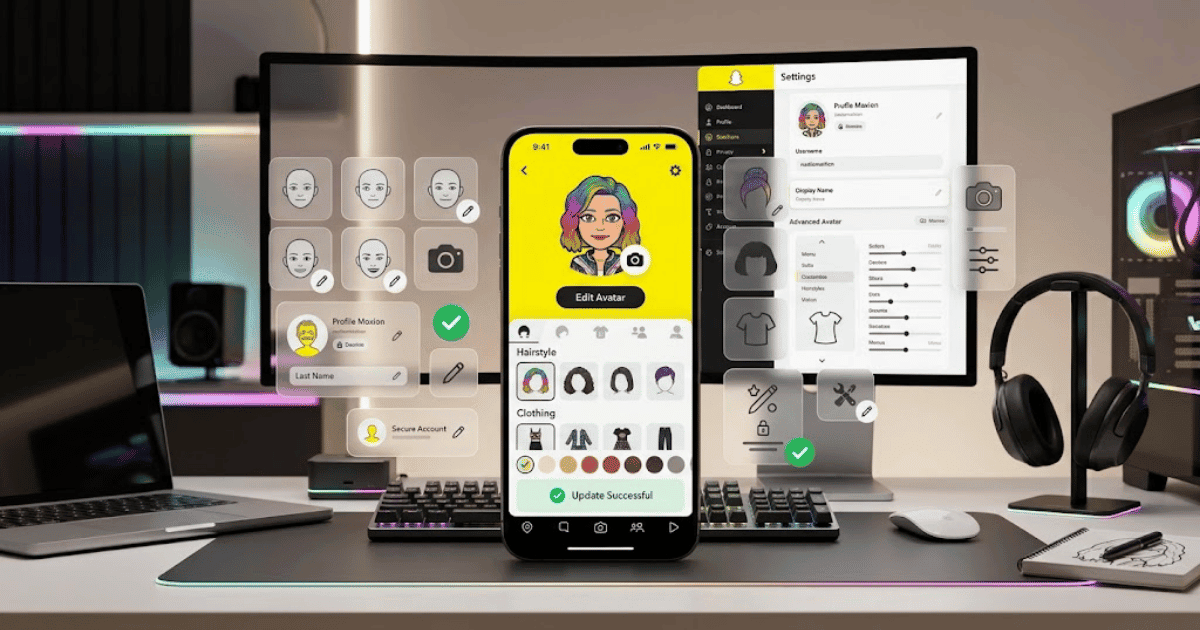
How to Change Snapchat Profile Picture or Bitmoji in 2026 – Complete Step-by-Step Guide for Beginners
Snapchat uses your Bitmoji or profile avatar as an important part of your profile identity. If you want to give your account a fresh look, you can customize your Bitmoji, update its appearance, change its outfit, or create a new avatar.
Depending on the Snapchat features available on your account, you may also see different profile customization options.
In this guide, you’ll learn how to change your Snapchat profile picture or Bitmoji in 2026 step by step.
What Is a Snapchat Profile Picture?
Unlike many social media platforms, Snapchat commonly uses a Bitmoji avatar as the visual representation of your profile.
Your Bitmoji can include:
- Face appearance
- Hairstyle
- Eye color
- Skin tone
- Clothing
- Accessories
- Background or profile style
You can customize these options to make your Snapchat profile look more personal.
How to Change Your Snapchat Bitmoji
Follow these steps:
Step 1: Open Snapchat
Open the Snapchat app on your Android phone or iPhone.
Make sure you are logged in to the correct account.
Step 2: Open Your Profile
Tap your Bitmoji or profile icon in the top-left corner.
This will open your Snapchat profile page.
Step 3: Tap Your Bitmoji
Tap your current Bitmoji or avatar.
Depending on the current Snapchat version, you may see options related to:
- Edit Avatar
- Change Outfit
- Change Selfie
- Customize Bitmoji
Step 4: Choose Edit Avatar
Select the available option to edit or customize your Bitmoji.
Step 5: Customize Your Appearance
You may be able to change different parts of your Bitmoji, such as:
- Face shape
- Skin tone
- Hair
- Eyes
- Eyebrows
- Nose
- Facial features
- Clothing
- Accessories
Choose the options you prefer.
Step 6: Save Your Changes
After completing your customization, tap the available Save or confirmation button.
Your updated Bitmoji should then appear on your Snapchat profile.
How to Change Your Snapchat Bitmoji Outfit
If you only want to change the clothes of your avatar:
- Open Snapchat.
- Go to your profile.
- Tap your Bitmoji.
- Select the available outfit or fashion option.
- Choose your preferred clothing.
- Save the changes.
Available outfits may change over time.
How to Change Your Snapchat Bitmoji Selfie
Snapchat may allow you to choose a different Bitmoji selfie or pose.
To change it:
- Open Snapchat.
- Go to your profile.
- Tap your Bitmoji.
- Look for the available Change Selfie or similar option.
- Select a new pose or selfie style.
- Confirm your selection.
Your new Bitmoji selfie may then appear on your profile.
How to Create a New Snapchat Bitmoji
If you want to completely change your avatar, look for the available option to edit or recreate your Bitmoji.
You can then customize:
- Facial appearance
- Hairstyle
- Clothing
- Accessories
- Other available features
Choose a design that represents your preferred style.
Can You Use a Real Photo as Your Snapchat Profile Picture?
Snapchat’s profile system is different from platforms such as Instagram or Facebook. Snapchat commonly uses Bitmoji and other available profile customization features instead of a traditional permanent profile photo.
The available profile picture options may change as Snapchat updates its app.
Why Change Your Snapchat Bitmoji?
You may want to update your Bitmoji because:
- Your appearance has changed.
- You want a new hairstyle.
- You want to change your clothing.
- You want your avatar to look more like you.
- You want a fresh profile appearance.
- You want to customize your account.
Changing your Bitmoji does not delete your Snapchat account or affect your chats and friends.
Common Problems When Changing Your Snapchat Bitmoji
I Can’t Find the Bitmoji Editing Option
Try updating Snapchat to the latest available version.
Then open your profile and check the available avatar customization options.
My Bitmoji Changes Are Not Showing
Try:
- Saving the changes again.
- Closing and reopening Snapchat.
- Checking your internet connection.
- Updating the app.
I Want to Remove My Bitmoji
Depending on Snapchat’s current features, you may find an option to unlink or remove your Bitmoji from your Snapchat account.
Check your profile or Bitmoji settings for the available option.
My Bitmoji Looks Different
Snapchat and Bitmoji may update avatar styles and customization features over time. Some visual elements may change after updates.
Tips for Creating a Better Snapchat Profile
Your Bitmoji can help make your profile more recognizable.
Try to:
- Choose an appearance you like.
- Use a recognizable hairstyle.
- Select suitable clothing.
- Update your avatar when you want a fresh look.
- Keep your profile consistent with your personal or content style.
For Content Creators and Businesses
If you use Snapchat for content creation, your Bitmoji can become part of your online identity.
Try to create an avatar that matches your content style or personal brand.
For example:
- Technology creators can use a modern professional look.
- Gaming creators can choose a more creative style.
- Lifestyle creators can use fashionable outfits.
A consistent visual style can help make your profile more recognizable.
Final Thoughts
Learning how to change Snapchat profile picture or Bitmoji in 2026 is simple.
Open Snapchat, go to your profile, tap your Bitmoji, and choose the available customization option. You can update your avatar’s appearance, change its outfit, or select a different selfie or pose.
Snapchat may update its profile customization options over time, so the exact location of some settings may vary depending on your app version.
Frequently Asked Questions (FAQs)
1. How do I change my Snapchat profile picture?
Snapchat commonly uses a Bitmoji or avatar for profile customization. Open your profile, tap your Bitmoji, and select an available edit or customization option.
2. Can I change my Snapchat Bitmoji?
Yes. You can generally customize your Bitmoji’s appearance, hairstyle, clothing, and other available features through your Snapchat profile.
3. Can I use a real photo as my Snapchat profile picture?
Snapchat’s profile customization works differently from traditional profile-picture platforms and commonly uses Bitmoji or other available avatar features.
4. How do I change my Snapchat Bitmoji outfit?
Open your Snapchat profile, tap your Bitmoji, select the available outfit option, choose new clothing, and save your changes.
5. Will changing my Bitmoji affect my Snapchat account?
No. Changing your Bitmoji or profile appearance does not delete your account or remove your chats and friends.