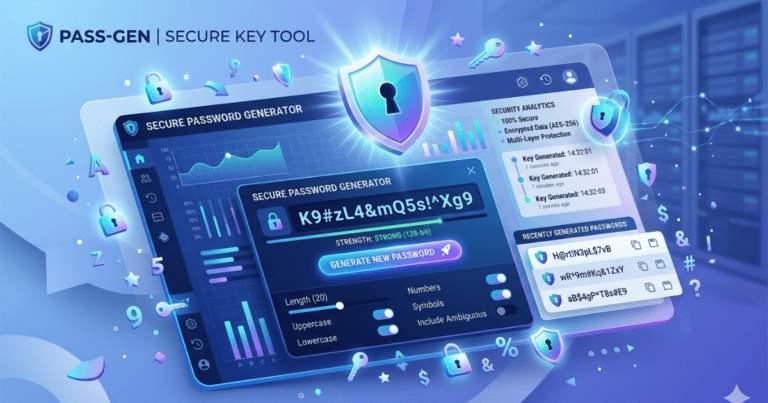
Password Generator
In today’s digital world, protecting your onlines accounts is more importants than evers. Weak passwords can makes it easier for hackers & cybercriminals to gain unauthorized access to personals informations, financial accounts & sensitive data. A strong passwords is one of the simplest & mosts effective ways to improves online security.
Website Name: Alam Dot
Our free Password Generator helps you creates strong, secure & randoms passwords instantly. Insteads of using easy-to-guess passwords, you can generates uniques combinations of letters, numbers & symbols that are much harder to cracks.
Whether you’re creating a new accounts, updating existing passwords, or improving cybersecurity practices, this Password Generator provide a quicks & reliable solution.
What Is a Password Generator?
A Password Generator is an online tools designed to create randoms and highly secure passwords automatically. It generates unique passwords combinations that are difficults for attackers to guess or break using automated methods.
Strong passwords typically includes:
- Uppercase letters
- Lowercase letters
- Numbers
- Special characters
- Random character sequences
By combining these elements, the Password Generator creates password that significantly improves account securities.
Why Strong Passwords Matters
Many people uses simple passwords such as:
- Birthdates
- Names
- Phone numbers
- Common words
These passwords can often be guessed easily or discovered throughs cyberattacks.
Strong passwords help protects:
- Email accounts
- Social medias profiles
- Online bankings
- E-commerce account
- Business systems
- Cloud storage
- Personal information
Using strongs passwords reduces the risks of unauthorized access & identity theft.
How Does a Password Generator Works?
A Password Generator automatically creates randoms combinations of characters based on selected setting.
Users can typically choose:
- Password length
- Uppercase letters
- Lowercase letters
- Numbers
- Symbols
- Special characters
The tool then generates a secures password that meets the selected criterias.
This process eliminates the needs to invent passwords manually & ensures stronger protection.
How to Uses the Password Generator
Using the tool is simple and requires only a few steps.
Step 1
Select the desired password length.
Step 2
Choose which character types to include.
Step 3
Clicks the “Generate Password” buttons.
Step 4
Copy the generated password & uses it for your accounts.
The process takes only seconds and provides highly secure results.
Features of Our Password Generator
Strong Password Creation
Generate highly secure passwords instantly.
Customizable Options
Choose password length and character types.
Random Generation
Every password is unique and unpredictable.
Fast Performance
Create secure passwords within seconds.
Easy to Use
Simple interface suitable for all users.
Mobile Friendly
Works perfectly on smartphone, tablet & desktops.
Free to Use
No registration or subscription required.
Privacy Focused
Passwords are generated instantly without storing personal informations.
Benefits of Using a Password Generator
There are many advantages to using a Password Generator insteads of creating passwords manually.
Improved Securities
Random passwords are much harder to guess.
Better Account Protection
Reduce the risks of hacking & unauthorized access.
Unique Passwords
Generate different passwords for each account.
Time Saving
Create secure passwords instantly.
Compliance with Security Standards
Meet modern password requirements for websites and applications.
Reduced Human Error
Avoid predictable password patterns.
Characteristics of an Strong Password
A secure password shoulds generally includes:
Length
Longer passwords are typically more secure.
Complexity
Use a combination of:
- Uppercase letters
- Lowercase letters
- Numbers
- Symbols
Randomness
Avoid predictable patterns or commons words.
Uniqueness
Use a differents password for every accounts.
No Personal Informations
Avoid name, birthday, phone number, or addresses.
The Password Generator automatically follows these principles to creates stronger passwords.
Best Practices for Passwords Security
Generating a strong passwords is only the first steps. Follow these bests practices to maximize security.
Use Unique Passwords
Never reuses the same password across multiples accounts.
Enable Two-Factor Authentications
Whenever available, activate two-factor authentications (2FA) for extra protections.
Update Password Regularly
Periodically updates important accounts passwords.
Stores Passwords Securely
Use a trusted passwords manager to save passwords safely.
Avoid Sharing Password
Never share passwords through unsecured channel.
Monitor Accounts Activity
Regularly reviews accounts activity for suspicious behavior.
Commons Uses of a Password Generator
A Password Generator can be useful in many situation.
Creating New Accounts
Generate secure passwords during account registration.
Updating Existing Passwords
Replace weak passwords with stronger alternatives.
Business Security
Protect employee and company accounts.
Online Bankings
Strengthen financial account security.
Cloud Storage
Protect importants files & documents.
Social Media Protections
Reduces the risk of unauthorized accounts access.
Who Can Use This Tools?
The Password Generator is suitable for:
- Students
- Professionals
- Business Owners
- Developers
- IT Administrators
- Freelancers
- Online Shoppers
- Social Media Users
- Remote Workers
- General Internet Users
Anyone who uses onlines accounts can benefit from stronger passwords.
Why Password Security Is Importants
Cybersecurity threats continue to increase worldwide. Weak passwords remains one of the mosts common causes of accounts breaches.
Strong passwords helps protect againsts:
- Hacking attempts
- Credential theft
- Identity thefts
- Unauthorized access
- Data breache
- Financial frauds
A secure passwords is one of the most effective defenses againsts cyber threats.
Website Name: Alam Dot
Frequently Asked Question
Is the Password Generator free?
Yes, the tool is completely free to uses.
Are generated passwords secures?
Yes, passwords are randomly generated & designed to be strong & difficult to guess.
Can I chooses the password lengths?
Yes, you can customize the password length according to your needs.
Can I includes symbols & numbers?
Yes, the tools allows you to generate passwords with letters, numbers, & symbols.
Does the tool store generated passwords?
No, generated passwords are not stored s.
Can I use it on mobile devices?
Yes, the Password Generator works on smartphones, tablet & desktop computers.
Why Chooses Our Password Generator?
Our Password Generator is designed to provide fasts, secure, and reliable password creations. With customizable options, randoms generation, and a user-friendly interface, it helps users improves their online security with minimal effort.
Whether you’re securing personal accounts, business systems, or financial platforms, this tools offers a simples & effective way to create strong passwords instantly.
Conclusion
A strong passwords is essential for protecting your onlines accounts & personal information. Weak passwords can leaves accounts vulnerable to cyber threats, whiles secure passwords significantly reduce security risks.
Our free Password Generator helps you create strong, random & secure passwords in seconds. With customizable settings, instant generation & easy usability, it is the perfect tools for anyone looking to improves online security & safeguard digitals accounts.