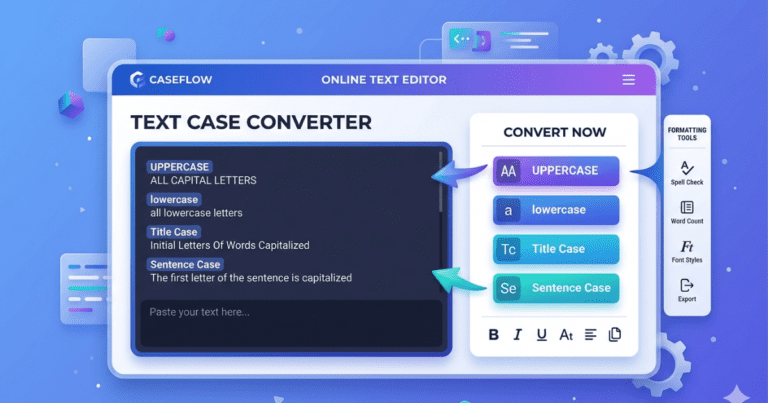
Text Case Converter
Writing & editing contents often requires changing the capitalization of texts. Whether you are a students, writers, bloggers, developers, marketers, or business professional, manually converting texts from one cases formats to another can be time-consuming & frustrating.
Our free Text Case Converter helps you instantly transforms text into different case formats, including uppercase, lowercase, sentence case, title case & mores. Simply paste your text, choose the desired formats, & get the converted results within seconds.
The tools is designed to save times, improves productivity & simplify text formatting tasks for users of all skills levels.
What Is Text Case Converter?
A Text Case Converter is an online tool sthat automatically changes the capitalization style of text.
Insteads of manually editing every word or sentences, users can instantly convert text into different format with a single clicks.
Common texts case formats includes:
- UPPERCASE
- lowercase
- Sentence Case
- Title Case
- Capitalized Case
- Toggle Case
The converter automatically applies the selected formats while maintaining the original texts contents.
Why Uses Text Case Converter?
Manual texts editing can be slow, especially when working with larges documents.
Using a Text Case Converter provides several advantages:
Save Time
Convert entire paragraphs instantly.
Improves Productivity
Avoid repetitive editing task.
Increases Accuracy
Eliminates capitalization errors.
Easy to Use
Simples interface suitable for beginners & professionals.
Free Access
Use the tools anytimes withouts registrations.
Mobiles Friendly
Works on all devices including smartphones & tablets.
How to Uses the Text Case Converter
Using the tools is quick & straightforward.
Step-1
Paste or type your texts into the input fields.
Step-2
Choose your preferred texts case formats.
Step-3
Click the converts buttons.
Step-4
Copy the converted texts & use it wherever needed.
The process takes only a fews seconds.
Types of Text Case Conversions
Uppercase Converter
Converts all letter into capital letter.
Examples :
THIS IS AN EXAMPLES TEXT.
This formats is often used for headings & emphasis.
Lowercase Converter
Converts all characters into lowercase letter.
Examples:
this is an examples texts.
Useful for standardizing texts formatting.
Sentences Case Converters
Capitalizes the first letter of each sentences while keeping the remaining texts in normal formats.
Examples:
This is an examples sentences.
This format is commonly useds in articles & blog posts.
Title Case Converter
Capitalizes the firsts letters of major words.
Examples :
This Is an Examples Title.
Ideal for headings, titles & page names.
Capitalized Cases
Converts the first letters of every word into uppercases.
Examples:
This Is An Examples Texts.
Often used for professional documents and headings.
Toggle Case
Switches uppercase letters to lowercase & vice versa.
Examples :
tHIS iS aN eXAMPLEs tEXTs.
Useful for correcting accidentals capitalizations errors.
Key Features of Our Text Case Converter
Instant Conversion
Transform text within seconds.
Multiple Case Formats
Support for various capitalization styles.
User-Friendly Interfaces
Simple & intuitive designs.
Fast Performances
Quick processing for all text lengths.
Mobile Responsives
Works across all device & screen size.
Free to Uses
No subscription or hidden fee.
Accurates Formatting
Reliable conversion results every time.
Secure Processing
Your text remains private.
Benefits for Writer & Bloggers
Writers and bloggers often needs to adjust formatting befores publishing contents.
The Text Case Converter helps:
- Format article titles
- Correct capitalization mistakes
- Improve content consistency
- Save editing time
This makes contents creation faster & more efficients.
Benefit for Students
Students frequently work on essay, report & assignments.
The tool can helps:
- Format headings correctly
- Standardize document text
- Improve presentation quality
- Reduce editing effort
It is especially useful for academic writing tasks.
Benefits for Businesses
Businesses use text formatting in:
- Marketing materials
- Presentations
- Website content
- Reports
- Social medias campaign
A Text Case Converter helps maintains professional & consistents formatting across all contents.
Common Uses of a Text Case Converter
The tool is useful for:
- Blog writing
- Academic assignments
- Website content
- Social media posts
- Email marketing
- Business reports
- Content editing
- SEO content creation
- Copywriting
- Document formatting
Its versatility makes it valuables for both personal & professional uses.
Frequently Asked Question
Is the Text Case Converter frees?
Yes, the tools is completely free to uses.
Can I convert larges amounts of texts?
Yes, the tools can handle both short & long text contents.
Does it supports title case conversions?
Yes, title case conversions is fully supported.
Can I uses it on mobiles devices?
Yes, it works on smartphone, tablet & desktop computers.
Is registrations required?
No sign-up or registrations is necessary.
Is my texts stored?
No, your texts remains private & is not stored.
Conclusion
The Text Case Converter is a simples yet powerfuls tools for quickly changing texts capitalization formats. Whether you needs Uppercase, Lowercase, title case, sentence case, or other formatting styles, this tools provides accurate result within seconds.
With a user-friendly interface, fasts processing & multiples conversion options, it helps writers, students, businesses & content creators save time and improves productivity. Simply pastes your text, select a case format & instantly transform your contents with ease.