How to Create a WhatsApp Account on Android and iPhone in 2026 – Step-by-Step Guide
WhatsApp is one of the most popular messaging applications in the world, connecting billions of users through text messages, voice calls, video calls, and file sharing. Whether you want to communicate with family, friends, classmates, or colleagues, creating a WhatsApp account is quick, free, and easy.
In this guide, you’ll learn how to create a WhatsApp account on Android and iPhone in 2026. We’ll also cover account verification, profile setup, privacy tips, common registration problems, and useful features for beginners.
What Is WhatsApp?
WhatsApp is a free messaging application owned by Meta. It allows users to send messages, make voice and video calls, share photos, videos, documents, and even create communities and channels.
People use WhatsApp to:
- Send instant messages
- Make voice and video calls
- Share photos and videos
- Create group chats
- Share documents
- Stay connected with family and friends
Requirements Before Creating a WhatsApp Account
Before getting started, make sure you have:
- An Android phone or iPhone
- A working mobile phone number
- A stable internet connection
- The latest version of the WhatsApp app
How to Create a WhatsApp Account on Android and iPhone
Step 1: Download WhatsApp
Open the Google Play Store (Android) or Apple App Store (iPhone).
Search for WhatsApp Messenger and install the official application.
Step 2: Open the App
Launch WhatsApp.
Tap Agree and Continue to accept the Terms of Service.
Step 3: Enter Your Mobile Number
Choose your country and enter your active phone number.
Double-check your number before continuing.
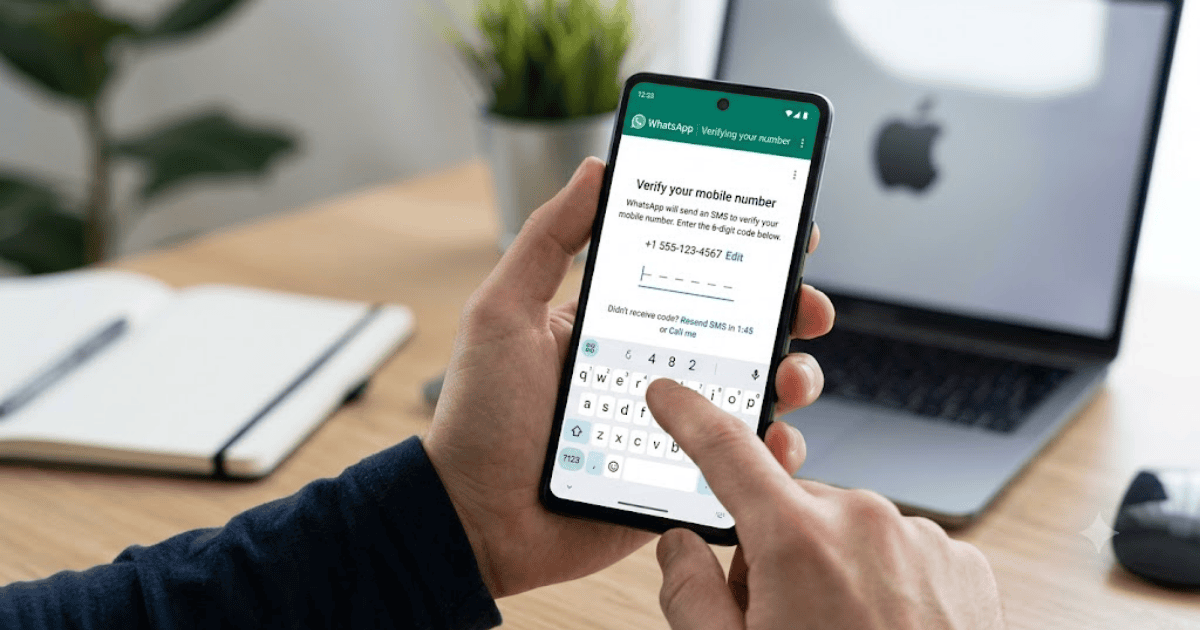
Step 4: Verify Your Number
WhatsApp will send a six-digit verification code via SMS.
Enter the code to verify your account.
Step 5: Restore Backup (Optional)
If you previously used WhatsApp, you can restore your chat backup from Google Drive or iCloud.
New users can skip this step.
Step 6: Set Up Your Profile
Add:
- Your name
- A profile picture
- An optional “About” status
Your WhatsApp account is now ready to use.
How to Customize Your WhatsApp Profile
A complete profile makes it easier for people to recognize you.
Add a Profile Photo
Choose a clear personal photo or business logo.
Write an About Status
Examples include:
- Available
- Busy
- At Work
- Digital Creator
- Online Business Owner
Update Privacy Settings
Control who can see:
- Your profile photo
- Last seen
- Online status
- About information
- Status updates
Popular WhatsApp Features
WhatsApp offers many useful tools.
Individual Chats
Chat privately with friends and family.
Group Chats
Create groups for school, work, or family conversations.
Voice and Video Calls
Enjoy free calls over the internet.
Communities
Organize multiple groups under one community.
Channels
Follow news, creators, and organizations.
File Sharing
Send documents, PDFs, images, videos, and voice notes quickly.
Common Problems During Registration
Verification Code Not Received
Check:
- Mobile signal
- Correct phone number
- SMS inbox
Wait a few minutes before requesting another code.
Invalid Phone Number
Make sure you’ve selected the correct country code.
WhatsApp Is Already Registered
If your number is already linked to another account, follow WhatsApp’s prompts to verify ownership.
Tips to Keep Your WhatsApp Account Secure
Protect your account by following these best practices.
Enable Two-Step Verification
Add a PIN to improve account security.
Never Share Verification Codes
WhatsApp will never ask for your verification code.
Keep Your Recovery Email Updated
If available, add a recovery email for additional security.
Lock the App
Use fingerprint or Face ID to secure access.
Benefits of Using WhatsApp
WhatsApp provides many advantages.
- Free messaging
- High-quality voice and video calls
- Secure end-to-end encrypted chats
- Easy file sharing
- Multi-device support
- Business communication
- Fast and reliable messaging
Final Thoughts
Learning how to create a WhatsApp account in 2026 is simple and only takes a few minutes. After verifying your phone number and completing your profile, you’ll be ready to chat, make calls, share files, and stay connected with people around the world.
By following this guide, you can create your WhatsApp account without issues and start using one of the world’s most trusted messaging apps.