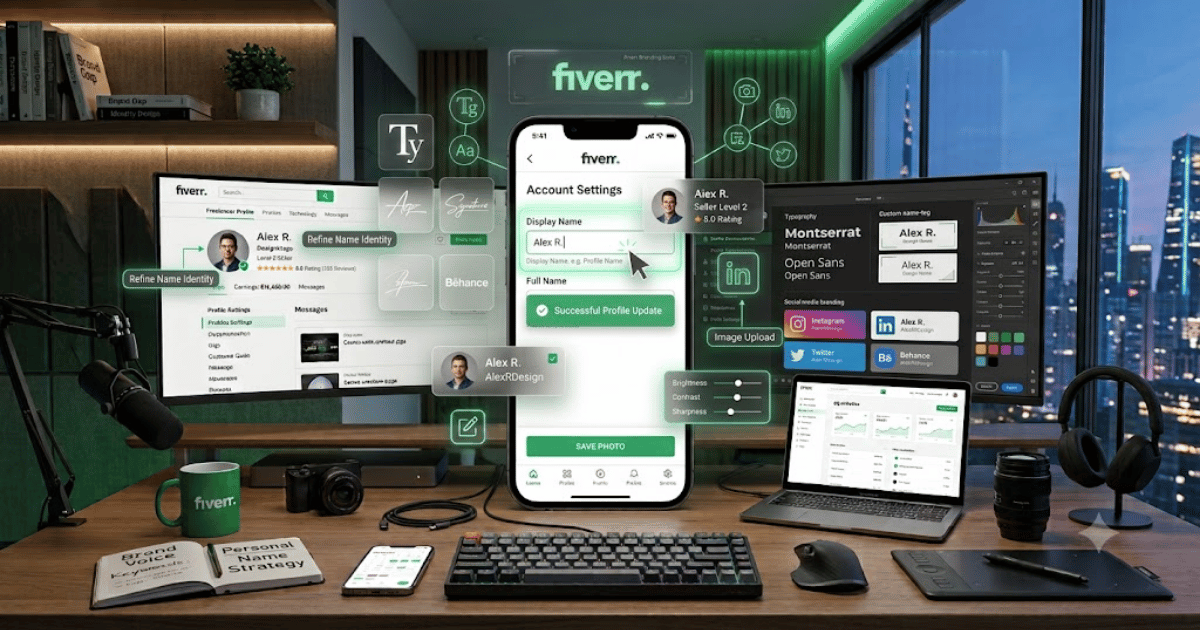
How to Change Your Fiverr Display Name in 2026 – Complete Step-by-Step Guide for Beginners
Your Fiverr profile name is an important part of your freelancer identity. It helps potential clients understand who they’re working with and can contribute to your overall professional branding.
However, it’s important to understand the difference between your Fiverr username and the name or profile information displayed publicly on your account. Fiverr’s available profile-editing options can vary, so some account information may be editable while the permanent username generally cannot be changed.
In this guide, you’ll learn how to change your Fiverr display name in 2026 and what to do if the name you want to use isn’t directly editable.
What Is a Fiverr Display Name?
A display or profile name is the name associated with your public Fiverr freelancer profile.
It is different from your:
- Fiverr username
- Gig title
- Professional title
- Profile description
Your username is tied to your Fiverr account, while editable profile information can be used to present your professional identity.
Fiverr Username vs Display Name
| Fiverr Username | Display/Profile Name |
|---|---|
| Unique account identifier | Public profile information |
| Generally cannot be changed directly | Some profile information may be editable |
| Selected during account creation | Can depend on current Fiverr profile settings |
| Part of account identity | Used for professional presentation |
Why Change Your Fiverr Display Name?
You may want to update your profile name if:
- You are rebranding your freelance business.
- Your professional name has changed.
- You want a more professional presentation.
- You want your profile to match your personal brand.
- You previously entered incorrect information.
How to Change Your Fiverr Display Name
Step 1: Open Fiverr
Visit Fiverr using your preferred web browser.
Sign in to the account where you want to update your profile.
Step 2: Open Your Profile
Click your profile picture in the top-right corner.
Open your profile or account settings.
Step 3: Go to Profile Settings
Look for the section where you can edit your freelancer profile.
Fiverr may change the exact layout of its settings over time.
Step 4: Find Your Name Information
Look for the editable profile information related to your name or public profile identity.
If Fiverr provides an edit option, select it.
Step 5: Enter the Updated Information
Enter the name you want to display on your profile.
Make sure it is:
- Professional
- Accurate
- Easy to understand
- Consistent with your branding
Step 6: Save Your Changes
Review the updated information and select the available Save or confirmation option.
Step 7: Check Your Public Profile
Open your Fiverr profile and verify that the updated information appears correctly.
What If You Can’t Change Your Name?
If Fiverr doesn’t provide an editable option for the name you want to change, don’t try to bypass Fiverr’s account rules.
Instead, contact Fiverr Support and explain your situation.
Support can tell you whether the requested change is possible under the current account policies.
Can You Change Your Fiverr Username Instead?
Usually, no.
Your Fiverr username is generally permanent and cannot be changed through normal profile settings.
If your main goal is to change your branding, consider updating the profile information that Fiverr allows you to edit rather than creating another account.
Tips for Choosing a Professional Fiverr Name
Your public profile identity should be:
- Easy to remember
- Professional
- Consistent with your services
- Appropriate for your target clients
- Suitable for long-term branding
For example, if you’re a web developer, your profile branding should clearly communicate a professional technology-focused identity.
Fiverr Branding Tips
A strong Fiverr profile should have consistent branding across:
- Profile picture
- Display information
- Gig thumbnails
- Gig titles
- Profile description
- Portfolio
- Professional communication
Keeping these elements consistent can make your freelancer profile look more trustworthy.
Common Problems
I Can’t Find the Name Edit Option
Fiverr’s profile settings and available fields can change over time.
Check the latest version of your profile settings or contact Fiverr Support.
I Want to Change My Username
Changing your username is different from changing editable profile information. Fiverr generally doesn’t provide a standard username-change option.
My Name Change Isn’t Showing
Try:
- Refreshing the page.
- Signing out and signing in again.
- Checking your public profile.
- Waiting for Fiverr’s profile information to update.
Fiverr Is Asking for Verification
Some account or profile changes may require additional verification. Follow the instructions shown by Fiverr.
Should You Create a New Account?
Creating another Fiverr account just because you want a different profile name may cause account-related problems.
Before creating another account, review Fiverr’s current policies regarding multiple accounts.
If your existing account has good reviews, orders, clients, and seller history, keeping it is often more valuable than starting over.
Final Thoughts
Learning how to change your Fiverr display name in 2026 starts with understanding the difference between your username and editable profile information.
Your Fiverr username is generally permanent, while some profile information may be updated through your account settings. If the specific name field you want to change isn’t editable, contacting Fiverr Support is the safest option.
For long-term freelancing success, choose professional branding and keep your profile information consistent with the services you offer.
Frequently Asked Questions (FAQs)
1. Can I change my Fiverr display name?
Some Fiverr profile information can be edited, but the exact available fields depend on Fiverr’s current account settings and policies.
2. Is Fiverr display name the same as username?
No. Your username is your unique account identifier, while display or profile information is used for your public freelancer identity.
3. Can I change my Fiverr username?
Fiverr generally does not allow users to change their username through normal account settings.
4. What should I do if I can’t edit my name?
Contact Fiverr Support and explain why you need the change. They can provide guidance based on your account and current policies.
5. Should I create a new Fiverr account for a different name?
Not without checking Fiverr’s current policies first. Creating additional accounts can cause account-related issues if it violates Fiverr’s rules.