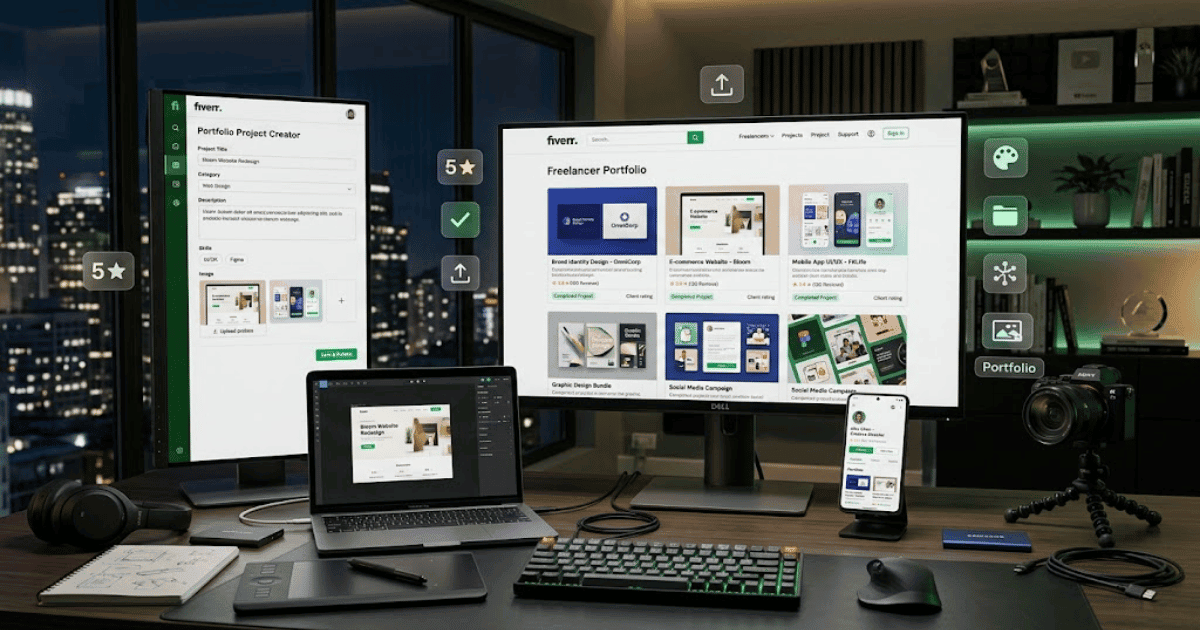
How to Add a Fiverr Portfolio in 2026 – Complete Step-by-Step Guide for Beginners
A strong portfolio can help potential clients understand the quality and type of work you provide. Instead of only reading about your skills, buyers can view examples of your previous projects and decide whether your style and experience match their requirements.
If Fiverr provides portfolio options for your account, you can use them to showcase relevant work and build a more professional seller profile.
In this guide, you’ll learn how to add a Fiverr portfolio in 2026, what to include, and how to create portfolio projects that represent your skills effectively.
What Is a Fiverr Portfolio?
A Fiverr portfolio is a collection of work samples or completed projects that you can showcase on your Fiverr profile or through available portfolio features.
Depending on Fiverr’s current features and your account, portfolio entries may include:
- Project images
- Project descriptions
- Skills
- Categories
- Completed work
- Client projects where permitted
- Personal or sample projects
A portfolio gives potential buyers a visual overview of your experience.
Why Is a Fiverr Portfolio Important?
A professional portfolio can help you:
- Showcase your skills
- Demonstrate the quality of your work
- Build trust with potential clients
- Show your design or working style
- Present relevant experience
- Create a more professional seller profile
However, a portfolio does not guarantee orders. The quality of your work, Gig presentation, pricing, communication, and buyer needs can all affect your results.
How to Add a Fiverr Portfolio
Step 1: Log In to Fiverr
Open Fiverr and sign in to your seller account.
Step 2: Open Your Profile
Click your profile picture and open your Fiverr profile.
Step 3: Look for the Portfolio Section
Find the portfolio or project section available on your profile or seller dashboard.
The exact location may change depending on Fiverr’s current interface and available account features.
Step 4: Select Add Project
Click the available option to add a new portfolio project.
Step 5: Upload Your Project Images
Upload high-quality images that clearly show your work.
For example:
Web Developer:
- Website screenshots
- Desktop designs
- Mobile layouts
- Landing pages
Graphic Designer:
- Logo designs
- Branding projects
- Social media graphics
- Poster designs
Video Editor:
- Video thumbnails
- Editing screenshots
- Before-and-after examples
Step 6: Add a Project Title
Choose a clear and professional title.
For example:
Modern Business Website Design
Avoid vague titles such as:
My Work
A specific title helps buyers understand the project immediately.
Step 7: Write a Project Description
Briefly explain:
- What the project was
- What work you completed
- Which skills you used
- Important features or results
Only include accurate information.
Step 8: Select Relevant Details
Depending on Fiverr’s current portfolio interface, add available information such as:
- Category
- Skills
- Project type
- Tools used
Choose information that accurately represents the project.
Step 9: Review the Project
Before publishing, check:
- Image quality
- Project title
- Description
- Spelling
- Client confidentiality
- Accuracy
Step 10: Publish Your Portfolio Project
Save or publish the project using the available Fiverr option.
After publishing, review your public profile to confirm that the portfolio appears correctly.
What Should You Include in Your Fiverr Portfolio?
Only include your best and most relevant work.
For example, if you offer WordPress website development, your portfolio could include:
- Business websites
- E-commerce stores
- Landing pages
- Blog websites
- Portfolio websites
If you’re a graphic designer, include projects related to the services you offer.
A relevant portfolio is usually more useful than uploading many unrelated projects.
How Many Projects Should You Add?
There is no need to add a large number of weak projects.
Instead, focus on quality.
Start with several strong examples that demonstrate different aspects of your skills.
As you complete better projects, update your portfolio with stronger examples.
Can You Add Client Work?
You should only share client work when you have permission or when sharing it does not violate a confidentiality agreement or other restrictions.
Before adding a project, consider:
- Client privacy
- Confidential information
- Copyright ownership
- Non-disclosure agreements
- Fiverr’s current policies
When necessary, create a sample project instead of publishing confidential client work.
How to Create Portfolio Samples if You Have No Clients
If you’re new to Fiverr and don’t have previous client projects, you can create sample projects.
For example:
Web Developer
Create a demo website for a fictional:
- Restaurant
- Real estate business
- Digital agency
- Online store
Graphic Designer
Create sample:
- Logos
- Brand identity projects
- Social media posts
- Product packaging
Video Editor
Create sample:
- Promotional videos
- Social media reels
- YouTube intros
- Short advertisements
Clearly represent sample work honestly. Do not falsely claim that a fictional or practice project was completed for a real client.
Portfolio Image Tips
Use images that are:
- High quality
- Clear
- Properly cropped
- Consistent in style
- Relevant to your services
For website projects, consider showing the design inside realistic device mockups.
For branding projects, use clean mockups that help demonstrate how the design could appear in real-world situations.
Keep Your Portfolio Updated
As your skills improve, update your portfolio.
Remove weaker or outdated examples and replace them with stronger projects when appropriate.
A portfolio should represent your current skills rather than only the work you created when you first started freelancing.
Common Problems
I Can’t Find the Portfolio Option
Portfolio features may depend on Fiverr’s current interface, account type, seller status, category, or available features.
Check your profile, seller dashboard, and Fiverr’s current Help Center.
My Portfolio Images Won’t Upload
Try:
- Checking your internet connection
- Using a supported image format
- Reducing the file size
- Refreshing the page
- Trying another browser
My Portfolio Project Is Not Showing
Wait for processing if applicable, refresh your profile, and check whether the project was saved or submitted successfully.
Can I Delete a Portfolio Project?
If Fiverr provides an edit or delete option for the portfolio project, you can manage it through your portfolio settings.
Available options may vary depending on Fiverr’s current interface.
Fiverr Portfolio Best Practices
Follow these tips:
- Showcase your best work.
- Focus on projects relevant to your services.
- Use clear project titles.
- Write short and informative descriptions.
- Use high-quality images.
- Respect client confidentiality.
- Keep your portfolio updated.
- Be honest about sample projects and real client work.
Final Thoughts
Learning how to add a Fiverr portfolio in 2026 can help you create a stronger and more professional freelancer profile.
Focus on quality rather than quantity. Choose projects that clearly demonstrate your skills and match the services you currently offer on Fiverr.
A professional portfolio, combined with strong Gig images, a clear description, good communication, and quality work, can help potential buyers better understand your services.
Frequently Asked Questions (FAQs)
1. Can I add a portfolio to my Fiverr profile?
If the portfolio feature is available for your account, you can use the available Fiverr profile or seller tools to add projects and work samples.
2. What should I include in my Fiverr portfolio?
Include your best and most relevant projects, such as website designs, logos, videos, or other work related to the services you offer.
3. Can I add sample projects if I have no clients?
Yes, you can create your own sample projects. However, represent them honestly and do not falsely claim they were completed for real clients.
4. Can I add client work to my portfolio?
Only if you have permission and doing so does not violate confidentiality, copyright, or contractual restrictions.
5. How often should I update my Fiverr portfolio?
Update it whenever you create significantly better work or when your current portfolio no longer represents your skills and services.
- Create Fiverr Account in 2026 – Step-by-Step Beginner Guide
- How to Delete a Fiverr Account in 2026 | Easy Guide
- How to Change Your Fiverr Username in 2026 | Complete Guide
- How to Change Your Fiverr Profile Picture in 2026 Easy Guide
- How to Change Your Fiverr Display Name in 2026 | Easy Guide
- How to Change Your Fiverr Gig Title in 2026 | Easy Guide
- How to Change Your Fiverr Gig Description in 2026 Easy Guide