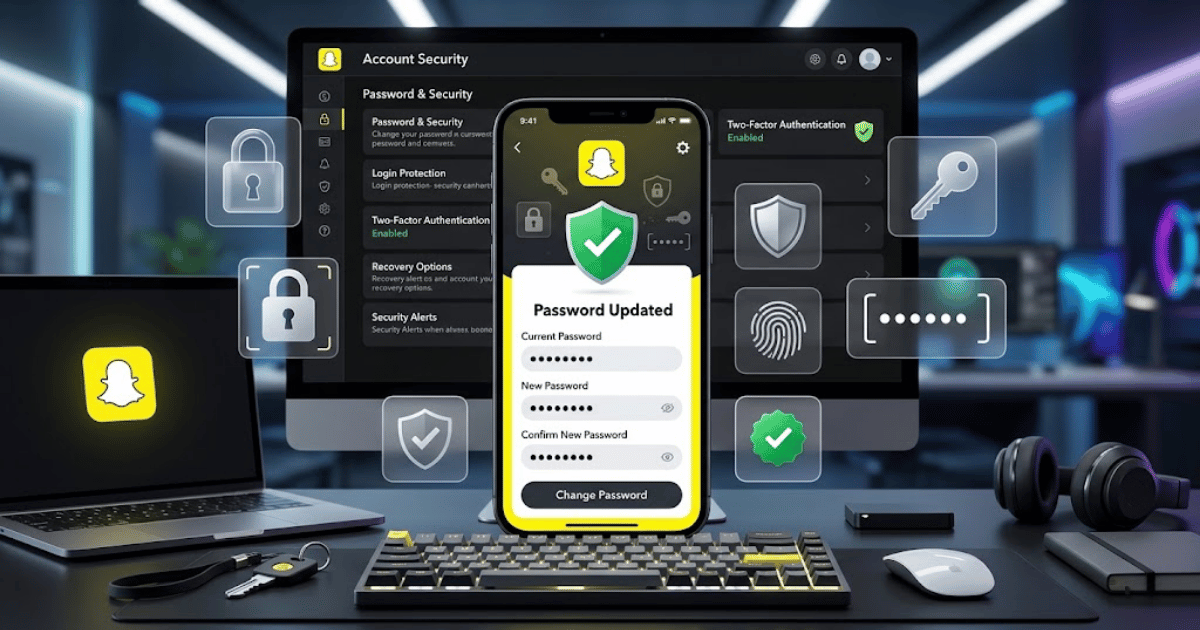
How to Change Your Snapchat Password in 2026 – Complete Step-by-Step Guide for Beginners
Changing your Snapchat password regularly can help you keep your account secure. You may also need to change it if you believe someone else knows your password, you used the same password on multiple websites, or you simply want to create a stronger password.
In this guide, you’ll learn how to change your Snapchat password in 2026 step by step. You’ll also learn what to do if you forgot your current password.
Why Should You Change Your Snapchat Password?
You may want to change your password if:
- You think someone knows your current password.
- You received an unusual login notification.
- You logged in on a shared device.
- Your password is weak or easy to guess.
- You use the same password on multiple accounts.
- You want to improve your account security.
A strong and unique password can help protect your Snapchat account from unauthorized access.
How to Change Your Snapchat Password
Follow these steps:
Step 1: Open Snapchat
Open the Snapchat app on your Android phone or iPhone.
Make sure you are logged in to the account whose password you want to change.
Step 2: Open Your Profile
Tap your profile or Bitmoji icon in the top-left corner.
Step 3: Open Settings
Tap the Settings icon in the top-right corner of the screen.
Step 4: Find the Password Option
Scroll through the settings and look for the Password option.
Tap it to open the password management screen.
Step 5: Enter Your Current Password
Enter your existing Snapchat password to verify your identity.
Step 6: Create a New Password
Enter a new password for your Snapchat account.
Choose a password that is:
- Strong
- Unique
- Difficult to guess
- Different from passwords used on other websites
Step 7: Confirm Your New Password
Enter the new password again if Snapchat asks you to confirm it.
Step 8: Save the Changes
Tap the available Save, Continue, or confirmation option.
Your Snapchat password should now be updated.
How to Reset Your Snapchat Password If You Forgot It
If you cannot remember your current password, you may be able to reset it.
Step 1: Open the Snapchat Login Screen
Open Snapchat and select Log In.
Step 2: Tap Forgot Your Password?
Select the available password recovery option.
Step 3: Choose a Recovery Method
Depending on the information connected to your account, Snapchat may allow password recovery through:
- Mobile phone number
Step 4: Verify Your Identity
Follow the instructions sent to your email address or phone number.
Step 5: Create a New Password
After verification, create and confirm a new secure password.
Then use your new password to log in to Snapchat.
How to Create a Strong Snapchat Password
A strong password should not be easy to guess.
Try to use a combination of:
- Uppercase letters
- Lowercase letters
- Numbers
- Symbols, where supported
Avoid using:
- Your name
- Your username
- Your date of birth
- Simple words
- Easy patterns such as
123456 - The same password you use on multiple accounts
A password manager can help you generate and store strong, unique passwords.
What Happens After Changing Your Snapchat Password?
After changing your password, you should use the new password the next time Snapchat requires you to log in.
If you suspect that someone else accessed your account, changing your password is an important first step.
You should also review your available Snapchat security settings and check for any unusual account activity.
Enable Additional Account Security
If Snapchat offers additional security options for your account, consider enabling them.
Available security features may include:
- Two-factor authentication
- Login verification
- Recovery information
- Device management
The exact options can change as Snapchat updates its security features.
Common Problems When Changing a Snapchat Password
I Can’t Remember My Current Password
Use the available Forgot Password option to reset your password through an associated email address or phone number.
Snapchat Won’t Accept My New Password
Make sure your new password meets Snapchat’s current password requirements.
Try using a longer and stronger combination of letters, numbers, and supported characters.
I Didn’t Receive the Password Reset Email
Check:
- Your spam or junk folder.
- Whether you entered the correct email address.
- Your internet connection.
Wait a few minutes and request another reset message if necessary.
I No Longer Have Access to My Email or Phone Number
Try Snapchat’s available account recovery and support options. The recovery options available can depend on the information connected to your account.
Tips to Keep Your Snapchat Account Secure
Follow these security tips:
- Use a strong and unique password.
- Do not share your password with anyone.
- Avoid logging in on untrusted devices.
- Enable additional security features when available.
- Keep your recovery email and phone number updated.
- Be careful of fake Snapchat login pages.
- Never enter your password on suspicious websites.
Final Thoughts
Learning how to change your Snapchat password in 2026 is simple and can help improve your account security.
Open Snapchat, go to your profile, open Settings, select Password, verify your current password, and create a new secure password.
If you forgot your password, use Snapchat’s available password recovery options through your connected email address or phone number.
Always choose a strong, unique password and avoid sharing it with anyone.
Frequently Asked Questions (FAQs)
1. How do I change my Snapchat password?
Open Snapchat, go to your profile, open Settings, select the Password option, verify your current password, and create a new one.
2. Can I change my Snapchat password if I forgot the old one?
Yes. You can use Snapchat’s available Forgot Password option to reset your password through an associated email address or phone number.
3. Can I change my Snapchat password on Android?
Yes. Open Snapchat on your Android device and access the Password option through your account settings.
4. Can I change my Snapchat password on iPhone?
Yes. The process is generally similar on iPhone through Snapchat’s account settings.
5. Why should I change my Snapchat password?
You may want to change it to improve account security, especially if you suspect unauthorized access or believe someone else knows your password.
- How to Create a Snapchat Account on Mobile in 2026
- How to Delete Snapchat Account in 2026 | Easy Guide
- How to Recover a Deleted Snapchat Account | Easy Guide
- How to Change Your Snapchat Username in 2026 | Easy Guide
- How to Change Snapchat Display Name in 2026 | Easy Guide
- How to Change Snapchat Profile Picture or Bitmoji in 2026