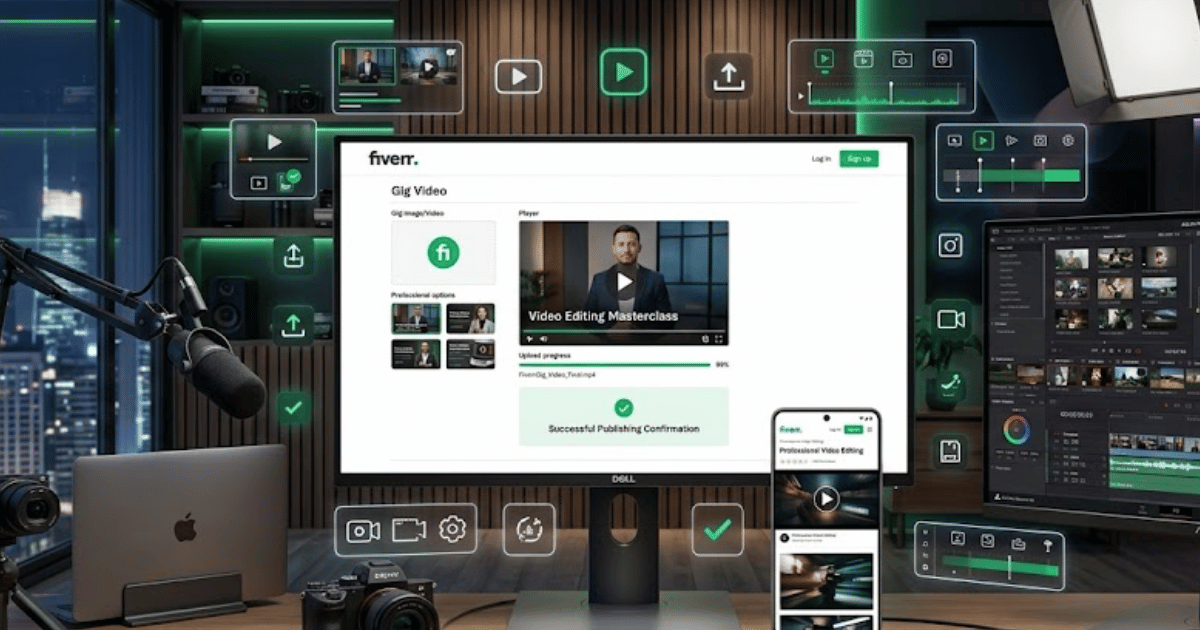
How to Add a Fiverr Gig Video in 2026 – Complete Step-by-Step Guide for Beginners
A Fiverr Gig video can help potential buyers understand your service more quickly. Instead of relying only on images and text, a short professional video can visually introduce your service, show examples of your work, and explain what clients can expect.
If Fiverr currently provides the video option for your Gig and category, you can add a suitable video through the Gig editing or gallery section.
In this guide, you’ll learn how to add a Fiverr Gig video in 2026, along with useful tips for creating a professional video for your service.
What Is a Fiverr Gig Video?
A Fiverr Gig video is a video attached to your service listing.
Depending on the Gig type and Fiverr’s current features, the video can help you showcase:
- Your services
- Previous work
- Portfolio examples
- Your work process
- Important service features
- Your professional skills
A good video should clearly represent the service you are offering.
Why Add a Video to Your Fiverr Gig?
Adding a relevant Gig video can make your listing more visually informative.
A professional video can help you:
- Explain your service quickly
- Showcase your work
- Create a stronger first impression
- Make your Gig more engaging
- Demonstrate your skills
However, adding a video does not guarantee more clicks, orders, or higher rankings.
How to Add a Fiverr Gig Video
Step 1: Log In to Fiverr
Open Fiverr in your preferred browser and sign in to your seller account.
Step 2: Open Your Gigs
Go to the seller dashboard and open the section where you manage your Fiverr Gigs.
Step 3: Select the Gig
Find the Gig where you want to add a video.
Open the Gig management options.
Step 4: Click Edit
Select the available option to edit your Gig.
Step 5: Open the Gallery or Media Section
Navigate to the section containing your Gig images and other media.
Depending on Fiverr’s current interface, this may be called:
- Gallery
- Media
- Gig Gallery
- Video
Step 6: Select Add or Upload Video
Look for the available option to upload a video.
Choose the video file from your computer or device.
Step 7: Wait for the Upload
Allow Fiverr to upload and process the video.
The processing time can depend on:
- Video file size
- Internet connection
- Video quality
- Current platform processing
Step 8: Preview Your Video
Before saving, watch the uploaded video and check:
- Video quality
- Audio quality
- Correct service information
- Branding
- Text readability
Step 9: Save or Publish the Gig
Submit your Gig changes.
Depending on Fiverr’s current review process, the video may need to be processed or reviewed before appearing publicly.
What Should You Include in a Fiverr Gig Video?
A simple Fiverr Gig video can follow this structure.
1. Introduce Your Service
Start by explaining what you offer.
For example:
I provide professional WordPress website design services for businesses, blogs, and online brands.
2. Show Your Work
Display examples of your previous work or relevant portfolio samples.
For a web developer, you could show:
- Desktop websites
- Mobile designs
- Landing pages
- Business websites
3. Explain the Main Benefits
Briefly explain what the buyer will receive.
For example:
- Responsive design
- Professional layout
- Fast-loading website
- Contact forms
- Basic SEO setup
Only mention features you actually provide.
4. Add a Clear Call to Action
End the video with a simple message such as:
Contact me before placing an order to discuss your project.
Tips for Creating a Professional Fiverr Gig Video
Keep It Focused
Don’t try to explain everything in one video.
Focus on:
- Your main service
- Your best work
- Your main benefits
Use Clear Audio
If your video includes voice, make sure the audio is easy to understand.
Use a good microphone and avoid excessive background noise.
Show Real Examples
Whenever possible, show examples of your actual work.
Avoid misleading visuals or portfolio examples that do not represent your services.
Use Professional Editing
Keep your video clean and easy to follow.
Use:
- Smooth transitions
- Readable text
- Clear visuals
- Appropriate pacing
Avoid unnecessary effects that distract from your message.
Fiverr Gig Video Requirements
Fiverr’s technical requirements and available video options can change over time.
Before uploading, check Fiverr’s current guidance for:
- Supported file formats
- Video length
- File size
- Resolution
- Audio requirements
- Content rules
Make sure your video follows the latest Fiverr policies.
Common Problems
I Can’t Find the Video Upload Option
The video feature may depend on your Gig category, account, or Fiverr’s current interface.
Try checking your Gig’s Gallery or Media section.
My Video Won’t Upload
Try:
- Checking your internet connection
- Reducing the file size
- Using a supported video format
- Refreshing the page
- Trying another browser
My Video Is Still Processing
Processing can take time depending on the file and platform activity.
Wait for Fiverr to complete processing before making unnecessary changes.
My Video Was Rejected
Review Fiverr’s current content policies and ensure that your video accurately represents your service.
Avoid:
- Misleading claims
- Copyrighted content without permission
- Prohibited services
- Inappropriate material
Best Practices for Fiverr Gig Videos
Follow these tips:
- Keep the video relevant to your service.
- Show your best work.
- Use clear audio.
- Use high-quality visuals.
- Keep text readable.
- Avoid excessive effects.
- Use original or properly licensed music and media.
- Follow Fiverr’s current requirements.
Should Every Fiverr Gig Have a Video?
A video can be useful when it genuinely helps explain or demonstrate your service.
For services such as:
- Video editing
- Website design
- Graphic design
- Animation
- Social media content
a video can be particularly useful for showing examples.
For other services, clear images and a strong description may be sufficient.
Final Thoughts
Learning how to add a Fiverr Gig video in 2026 can help you create a more engaging and informative service listing.
Focus on creating a clear, professional video that accurately represents your service and shows potential buyers what you can do. Before uploading, always check Fiverr’s latest requirements and make sure your content follows the platform’s policies.
A professional Gig video, combined with a strong title, clear description, attractive images, and good communication, can improve the overall presentation of your Fiverr service.
Frequently Asked Questions (FAQs)
1. Can I add a video to my Fiverr Gig?
If Fiverr provides the Gig video option for your account and Gig category, you can upload a video through the available Gig editing or media section.
2. What should I include in a Fiverr Gig video?
Introduce your service, show relevant examples of your work, explain the main benefits, and include a simple call to action.
3. What format should a Fiverr Gig video be?
Check Fiverr’s current technical requirements for supported formats, size, length, and resolution before uploading.
4. Why won’t my Fiverr Gig video upload?
The problem may be related to the file format, file size, internet connection, or Fiverr’s current technical requirements.
5. Does adding a Fiverr Gig video improve ranking?
There is no guarantee that adding a video will improve your Gig’s ranking. However, a professional video can improve the overall presentation and help buyers understand your service.
- Create Fiverr Account in 2026 – Step-by-Step Beginner Guide
- How to Delete a Fiverr Account in 2026 | Easy Guide
- How to Change Your Fiverr Username in 2026 | Complete Guide
- How to Change Your Fiverr Profile Picture in 2026 Easy Guide
- How to Change Your Fiverr Display Name in 2026 | Easy Guide
- How to Change Your Fiverr Gig Title in 2026 | Easy Guide
- How to Change Your Fiverr Gig Description in 2026 Easy Guide